|
Free download Advanced Task Scheduler 5.1.0.701
 
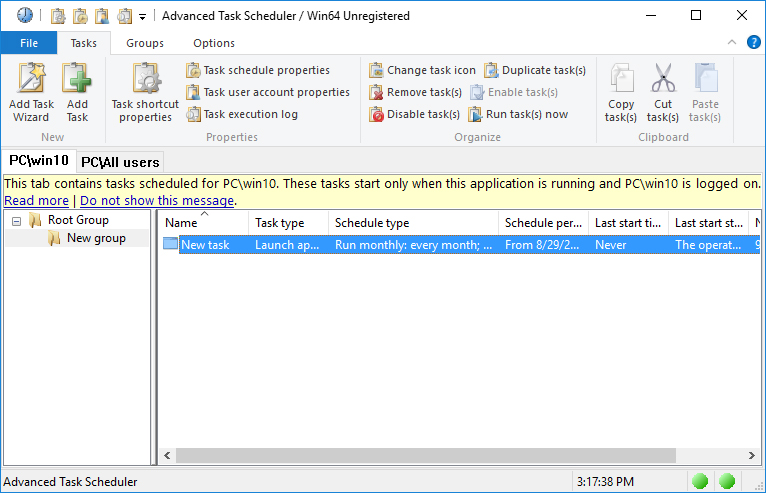
  Advanced Task Scheduler is a powerful task scheduler, which allows you to automate all your day-to-day tasks: launch applications, scripts and batch files, open documents and web pages, display popup messages, play sounds, send messages, shut down and restart your computer, establish and close dial-up connections, and much more. Advanced Task Scheduler is a powerful task scheduler, which allows you to automate all your day-to-day tasks: launch applications, scripts and batch files, open documents and web pages, display popup messages, play sounds, send messages, shut down and restart your computer, establish and close dial-up connections, and much more.
Advanced Task Scheduler offers a full set of scheduling tools that allow you to run scheduled tasks automatically, as a one-off, a specified time after system startup, or minutely to yearly. Alternatively, set tasks to run via a hotkey, on computer idle, on dial-up connection being established, on user log-on/off, program start/stop, etc. Popup messages stop you forgetting important tasks on your to-do list. Automatic shutdown feature allows you to leave your computer running and be sure it shuts down at a set time, and a similar feature applies to programs and dial-up networks.
Advanced Task Scheduler icons will appear in your system tray, giving you access to all its features via a popup menu, which appears on right clicking. Pressing a hotkey restores Advanced Task Scheduler. The scheduler can also be launched as a Windows Service and work in the background, enabling all scheduled tasks to run smoothly without taking up any desktop space. This feature means Advanced Task Scheduler can be run even when no user is logged on.
Advanced Task Scheduler can record all executed tasks in a log file or send them straight to your inbox, letting you know exactly what tasks are being executed and when. The log file can also be printed at your convenience.
Advanced Task Scheduler allows you to automate a wide range of tasks, including all the basics listed above, as well as sending network and e-mail messages and initiating HTTP and FTP transfers.
Try Advanced Task Scheduler for free today.
Advanced Task Scheduler 5.1.0.701 system utilities, automation tools software developed by Southsoftware.com. The license of this system utilities, automation tools software is shareware, the price is 39.95, you can free download and get a free trial before you buy a license or registration. All Advanced Task Scheduler 5.1.0.701 download links are direct Advanced Task Scheduler full download from Southsoftware.com site or their selected mirrors.
Keywords: task, schedule, scheduling, scheduler, automate, program, boot, network, auto, start, run, application, reminder, kill process, dial, auto-dial, turn off, reboot, Shareware, System Utilities, Automation Tools, Southsoftware.com, Advanced Task Scheduler
Recent Changes: Task scheduler includes the following changes: Minor improvements and bug fixes.
Install Support: Install and Uninstall
Supported Languages: English, French, German, Hungarian, Italian, Portuguese, Russian
Additional Requirements: A computer running under Microsoft Windows 2000/XP/Vista/7/8/10.
|




 (total votes: 0)


 AbleFTP 11.10: AbleFtp - FTP client designed to automate and run 1000+ FTP tasks a day.