|
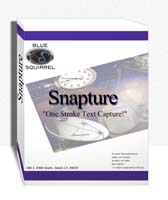
Free download Snapture for Windows 2.0
 
 Snapture, is the easiest way to capture information and take it with you. Want to "remember" little things like driving directions, eBay listings, funny jokes, clever quotes, receipts, URLs, etc? Now you can "remember" these things with just one keystroke. Highlight, hit F11 and the information is instantly converted to a Text or MS Word file. Snapture, is the easiest way to capture information and take it with you. Want to "remember" little things like driving directions, eBay listings, funny jokes, clever quotes, receipts, URLs, etc? Now you can "remember" these things with just one keystroke. Highlight, hit F11 and the information is instantly converted to a Text or MS Word file.
Sometimes you want to collect information into one convenient document. No problem. Just hit F12 to tack the information onto the last file. Make a travel guide by combining flight, hotel and rental car info with maps, driving directions, historical sites, etc. to make your own electronic travel guide.
Don't worry if you use F11 for something else. Snapture, for Windows is fully configurable. You can change the hot keys, or even capture without touching the keyboard by using just your mouse.
Snapture for Windows 2.0 business, pims & calendars software developed by Blue Squirrel. The license of this business, pims & calendars software is shareware, the price is 19.95, you can free download and get a free trial before you buy a license or registration. All Snapture for Windows 2.0 download links are direct Snapture for Windows full download from Blue Squirrel site or their selected mirrors.
Keywords: file conversion, file conversion software, pim, text file, text file converter, file conversion program, clipboard, windows clipboard, altered clipboard, save file, snapture, blue squirrelpim, pim software, personal information manager, Shareware, Business, PIMS & Calendars, Blue Squirrel, Snapture for Windows
Recent Changes: Not Established
Install Support: Install and Uninstall
Supported Languages: English
Additional Requirements: 486+ processor, Win 95/98/Me/NT/2000/XP, 8MB RAM, 2MB Disk Space, IE
|




 (total votes: 0)


 JaSFtp 11.10: JaSFtp - Automated SFTP client (secure FTP), Run 1000+ tasks on a schedule.
 AbleFTP 11.10: AbleFtp - FTP client designed to automate and run 1000+ FTP tasks a day.