|
Free download Advanced Data Export .NET 1.6.9
 
  Advanced Data Export .NET is a component suite for Microsoft Visual Studio that will allow you to save your data in the most popular data formats for the future viewing, modification, printing or web publication. You can export data into MS Access, MS Excel, MS Word, RTF, PDF, TXT, DBF, CSV and more! There will be no need to waste your time on tiresome data conversion - Advanced Data Export will do the task quickly and will give the result in the desired format. Advanced Data Export .NET is a component suite for Microsoft Visual Studio that will allow you to save your data in the most popular data formats for the future viewing, modification, printing or web publication. You can export data into MS Access, MS Excel, MS Word, RTF, PDF, TXT, DBF, CSV and more! There will be no need to waste your time on tiresome data conversion - Advanced Data Export will do the task quickly and will give the result in the desired format.
Key Features:
* Data export into most popular formats: MS Access, MS Excel, MS Word, RTF, PDF, TXT, DBF, CSV, SYLK, DIF, LaTeX, SQL and Windows Clipboard
* Saving data for future viewing, modification, printing or web publication
* Easy-to-use wizard allows your end-users to export data quickly
* Powerful export options for each data format
* 100% native C# code
* No additional libraries or software required to operate
* Detailed help system and demo application
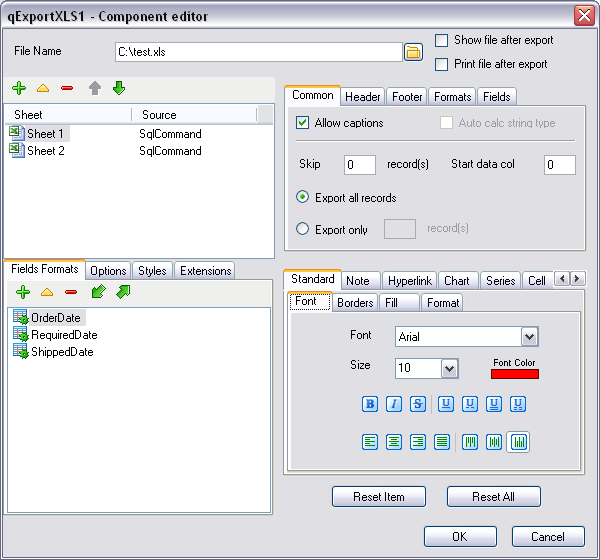
* Powerful components and properties editors
* Setting the user formats for each field separately
* Multilanguage support
Advanced Data Export .NET 1.6.9 development, components & libraries software developed by EMS Database Management Solutions, Inc. The license of this development, components & libraries software is shareware, the price is 245.00, you can free download and get a free trial before you buy a license or registration. All Advanced Data Export .NET 1.6.9 download links are direct Advanced Data Export .NET full download from EMS Database Management Solutions, Inc site or their selected mirrors.
Keywords: component for data export, VS component for data export, dotnet component for data export, .net component for data export, c# component for data export, export to XLS, export to CSV, export to access, export to word, export to XML, export to PDF, export to TXT, Shareware, Development, Components & Libraries, EMS Database Management Solutions, Inc, Advanced Data Export .NET
Recent Changes: Support of Visual Studio.Net 2008 is implemented
The new installer allows you to install the component in the Visual Studio.Net 2005 and 2008 environment automatically
Several improvements and bug-fixes implemented
Install Support: Install and Uninstall
Supported Languages: English
Additional Requirements: Microsoft Visual Studio .NET 2003, 2005, 2008
|




 (total votes: 0)


 AbleFTP 11.10: AbleFtp - FTP client designed to automate and run 1000+ FTP tasks a day.